Now, it is all about only exceptional clarity of work on all basic functionality and ease of customization.
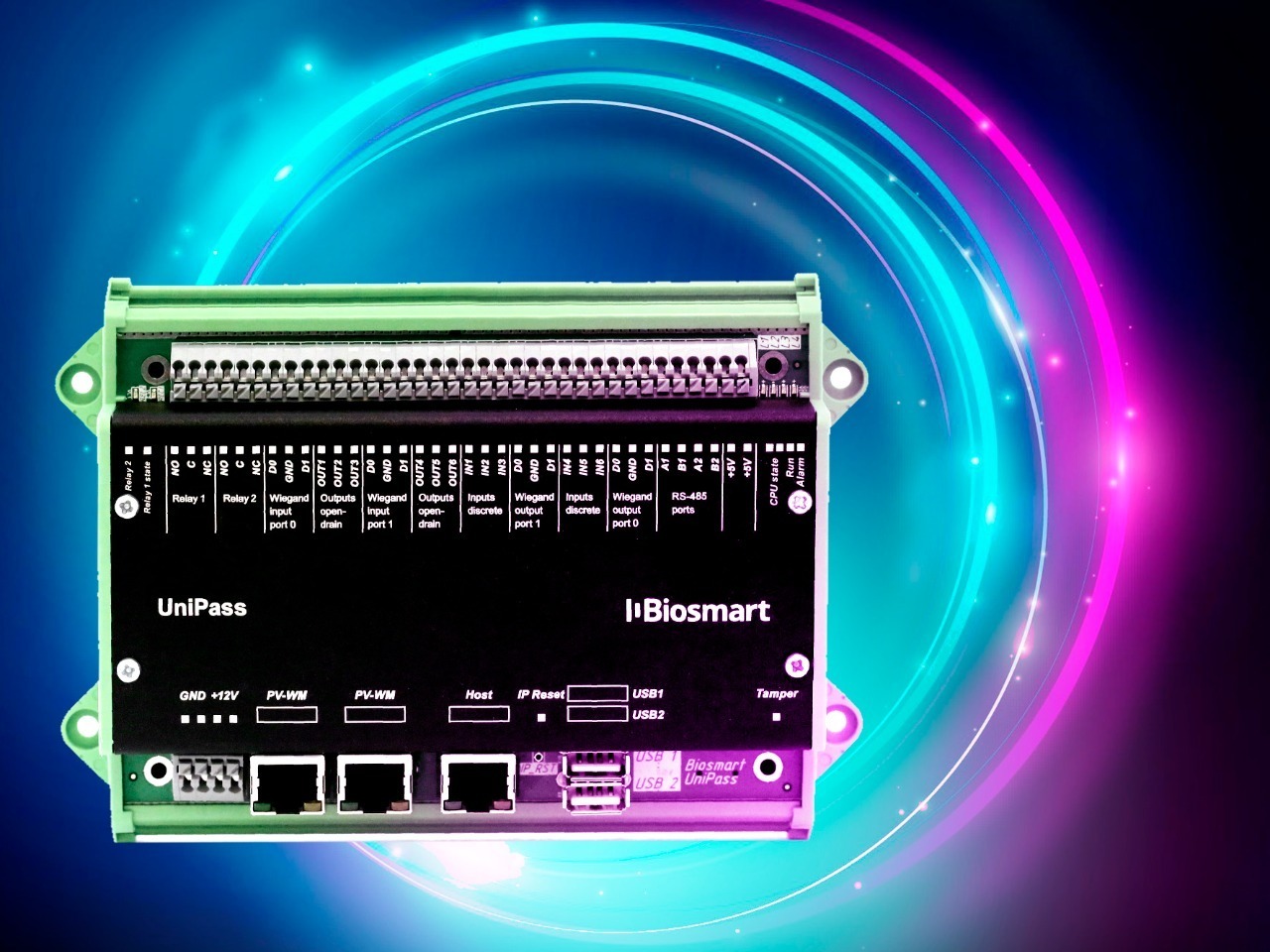
Side note: the BioSmart UniPass Pro controller manages access: locks, turnstiles, sensors and other devices are connected to its inputs / outputs.
User identification is performed using palm vein readers PALMJET, PALMJET-BOX, PALMJET-BOX-T, RFID card readers SMARTKEY and BioSmart BS-RD, as well as third-party RFID card readers. When the user brings their hand or card to the reader, the device transmits information to the controller. The controller compares it with the templates in the database and, based on the comparison results, performs the programmed actions: grants / denies access, sends a request to measure the user's temperature, controls the passage through additional devices (for example, a breathalyzer or metal frame), and then returns to the normal operating mode: cyclic polling the status of connected devices. In local mode, the BioSmart UniPass Pro controller stores in RAM up to 1 million palm vein patterns, up to 1 million RFID codes, and up to 10 million events. At the same time, the identification time is short: less than 1 second for 1 user out of 1000.
The firmware update has made the controller more reliable and easier to use.
Briefly about the main changes:
- support for readers PALMJET, PALMJET-BOX, PALMJET-BOX-T. One can connect up to 4 palm vein readers to one BioSmart UniPass Pro controller.
- together with the PALMJET-BOX-T reader — wrist temperature control. Important: temperature measurement is performed as quickly as possible, simultaneously with reading the palm vein pattern, and practically does not affect the user's passage speed.
- works with Wiegand inputs / outputs. You can easily integrate BioSmart UniPass Pro with already installed ACS.
- reading RFID cards like Mifare. You will be able to use the most common contactless smart cards today.
- identification by NFC for Anroid. Attention: to “pass by phone”, you need the Biosmart ID application.
- works with relays and discrete inputs / outputs for connecting passage sensors, buttons and other equipment.
Last but not least: working with controller settings is now much more convenient! BIOSMART developers have implemented a web interface for quick and easy configuration of all parameters of the BioSmart UniPass Pro operating mode. Further firmware updates will also take place through the interface - literally at the touch of a button.